Deliver the project. Protect the agreement. Understand the margin.
Project management for agencies that bill clients. Lock the SOW, put a price on every change, track time and send GST invoices, with each project's margin in view.
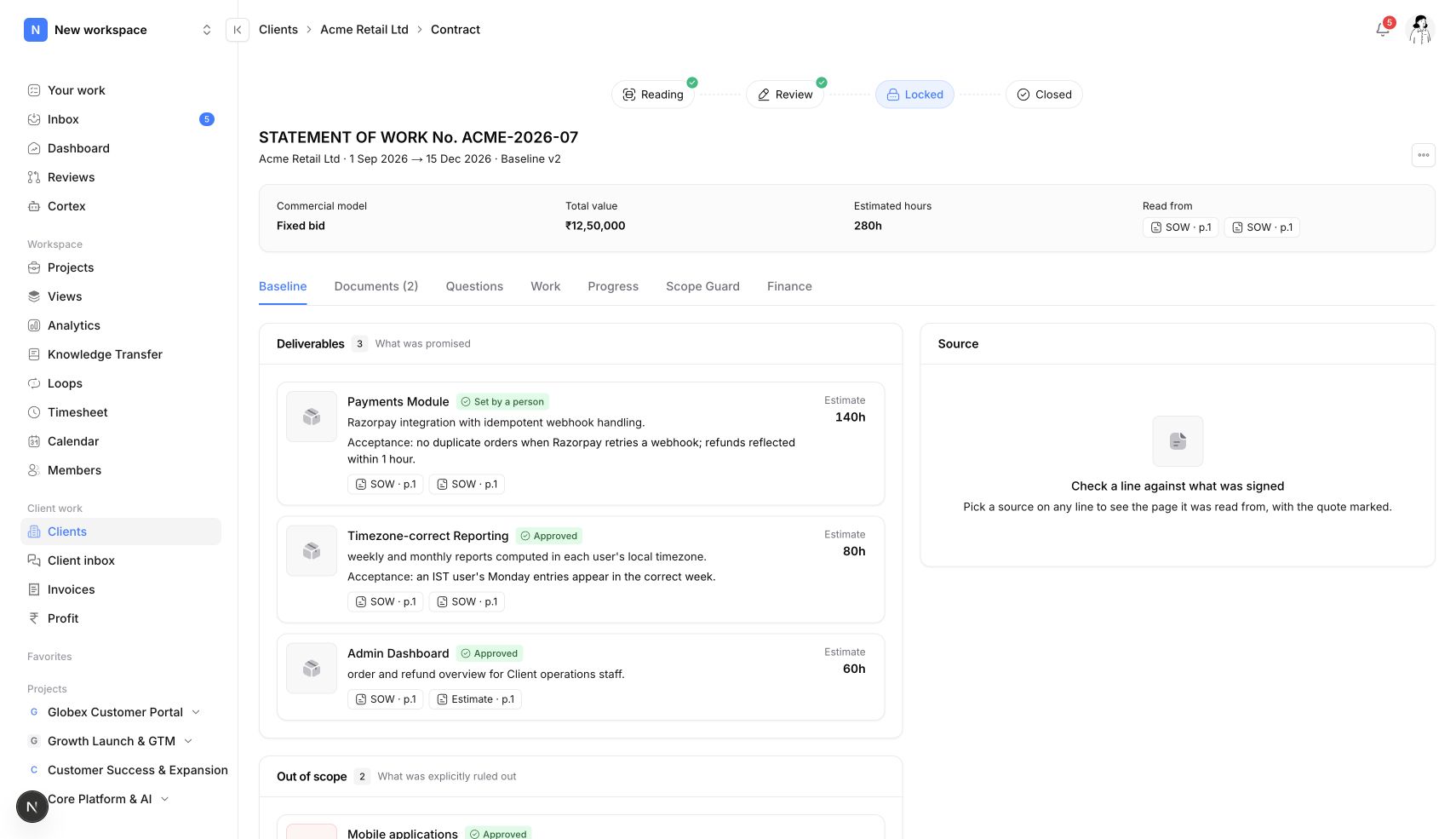
Before delivery: make the agreement usable
Create the client engagement, upload the SOW and review the proposed baseline. Connect deliverables to project work so the team can see what the engagement covers.
- Reviewed deliverables and exclusions
- Fixed bid, time and materials, or retainers
- Project links to client engagements
During delivery: make changes visible
A client asks for an extra dashboard. Scope Guard shows it is not in the SOW, you estimate it and send a priced change, and the client approves it in the portal before the team starts.
- Task planning and intake
- Time tracking and scope review
- Client portal approvals
After delivery: close the financial loop
Turn approved hours into GST invoices with UPI details, see what is overdue and export to Tally. Profitability shows which projects and clients earn their keep.
- GST invoicing and Razorpay payments
- Cost and budget reporting
- Unbilled contract work
Explore Neevio.
Scope management
Lock the SOW as a scope baseline, flag work outside it with Scope Guard and send priced change requests for client approval in Neevio.
Explore scope management →Client portal
Give clients one Neevio portal for progress, files, messages, change approvals and invoices they can pay online. Email-link sign-in.
Explore client portal →Profitability
See project revenue, the cost of logged hours, budgets and unbilled work in Neevio, and fix a losing project while it is still running.
Explore profitability →Frequently asked questions.
Can Neevio manage internal work too?
Yes. Internal projects use tasks, epics, sprints, dependencies and documents without a client agreement. Add scope, approvals, timesheets and invoicing to client projects when you need them.
Why not a task tracker plus an invoicing tool?
Because the money leaks in the gap between them. In Neevio the SOW, the change approval, the logged hours and the invoice are linked, so extra work does not slip through unbilled.
Does Neevio handle GST?
Yes. Invoices calculate CGST and SGST, or IGST, from the supply type and show your GSTIN, SAC code and UPI details.
Can we try it on one client first?
Yes. Start free with core planning, then move one client project to a paid plan to use scope, the client portal and invoicing.